

How To Read Behavior Flow In Google Analytics
Google Analytics Behavior Analysis - Behavior Flow and Other Reports
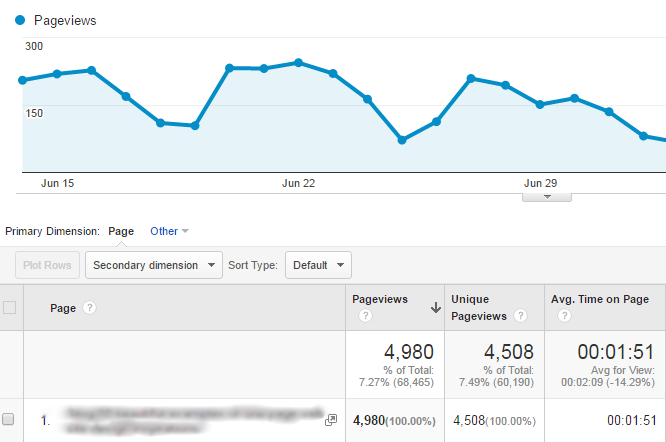
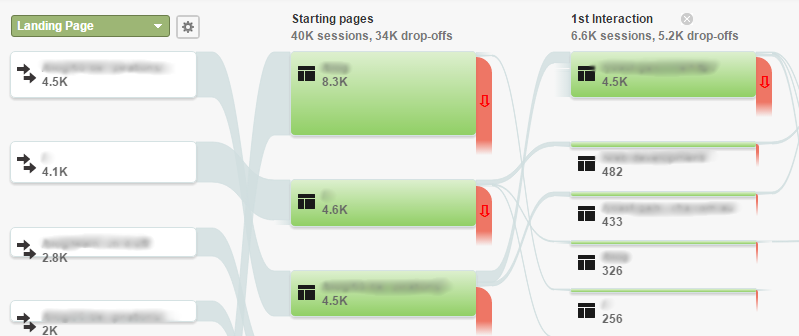
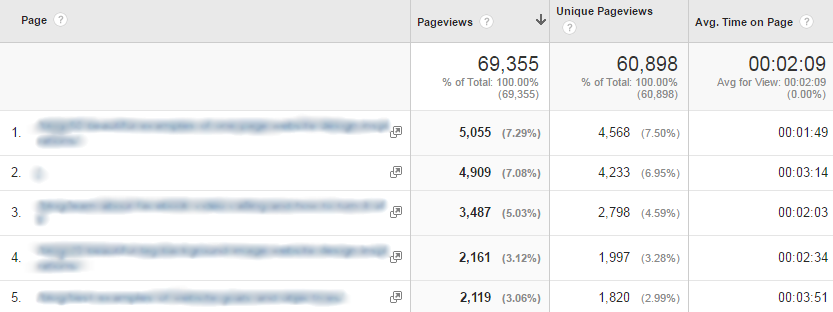
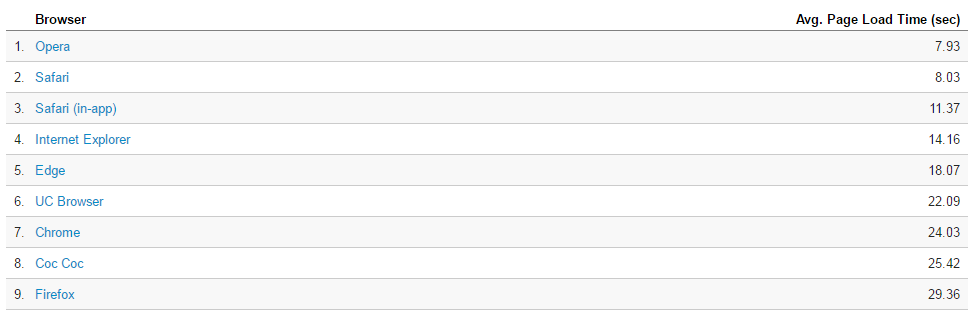
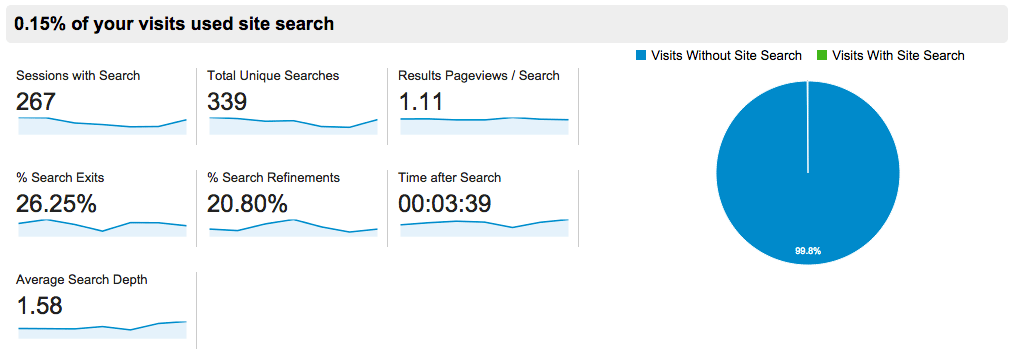
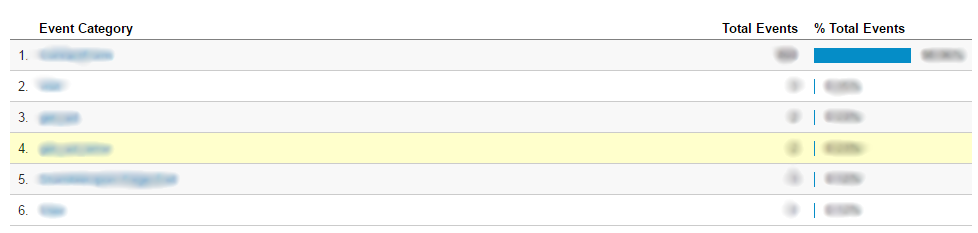
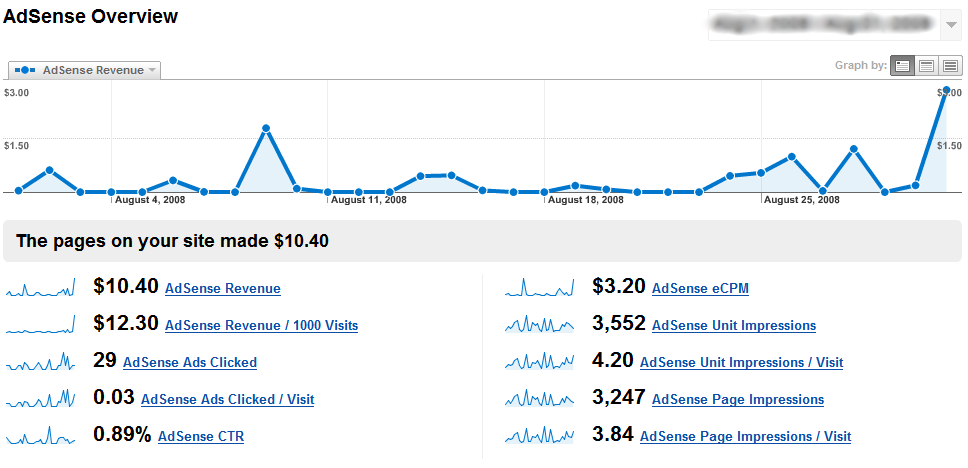
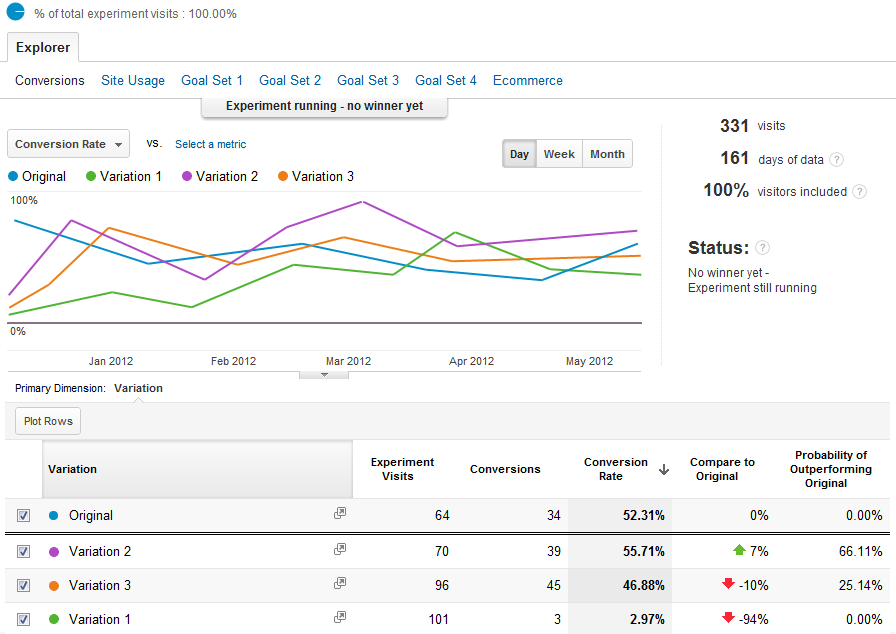
The Behavior Overview report focuses on individual pages of your website, as opposed to the entire site. It gives you an overview of pageviews, unique pageviews, average time spent on each page, bounce rate and exit rate. You can also review how the content is performing by page URLs, titles, search terms or events. Similar to other flow reports that Google Analytics offers, the Behavior Flow report lets you visualize the path visitors traveled from one page to the next. This report allows you to discover what content is most engaging. It shows how people arrive at the website (landing page) and where they go from there (interactions) as well as exit (drop-off) points. Note that the Behavior Flow report can also be used to visualize pages and events (video plays, for example). The Behavior Analysis Site Content reports focus on just that – your website content. They show what content is more engaging and effective. Based on this information, you can understand how well your content really addresses your website's objectives: In many cases, your most active landing page is not your website homepage. Users often enter your website through search engine results, and at times individual pages can outperform the homepage (for example, if you are conducting content marketing and have an effective article or a popular promotion). If your landing pages have a high bounce rate, or visitors spend only a few seconds on these pages, it is most likely an indicator that these pages do not meet visitors' expectations, or that they are not effective in engaging and retaining your visitors' attention. Your website's speed plays a critical role in the website's ability to convert. Today's website visitors are impatient, and if your website is slow, they will move on. According to Kissmetrics, research shows that your website can lose traffic at the average rate of 7% per second of wait time while your page loads. The loss percentage for users on mobile devices is even higher. Google announced that website speed has an impact on search ranking in the search giant's results. The faster your website is, the better positions you will achieve in search results. Website speed optimization is extremely technical, so you should ask your web developer to review reports for improvement. The following reports will help you and your web developer optimize your website for speed: Today's customers want to find what they are looking for quickly and effortlessly, and failing to provide the specific information they seek will result in lost visitors and conversions. If your website has a search box, analyze the entries to learn the commonalities among the searched keywords. This gives excellent insight into the needs of prospective customers. Google Analytics needs to be configured prior to tracking search queries. Ask your web developer to help you with this step, and then take a closer look at the following reports: Events are user interactions with your website that don't require loading a page, for example, playing a video, printing a page, downloading a file, liking a page on Facebook, etc. Since most data in Google Analytics comes from page loads (i.e., when a link is clicked and the user is taken to another page on your website), setting up events allows you to track actions within these pages. Events can be a valuable tool that measures the user's behavior as it leads to a conversion. For example, let's say that you have a video embedded in your site's homepage. You want the visitors to watch the video that is designed to engage them and, coupled with calls to action, drive them to conversion. How can you measure interactions of your users with this video? This can be achieved by making use of events. Setting up events requires additional technical set-up that should be completed by your web developer. First, you should decide which events you want to track. You can set up multiple events in different categories (video, for example), as well as various actions, e.g., Play, Pause or Label (any additional information, such as the title of the video). The more granular information you provide, the easier it will be to track. For example, you can track Plays of the Video with the label Main, or better yet, see how many of these Plays lead to a conversion. If you serve ads on your website using Google AdSense, these reports will help you review the performance of the ads that you serve (e.g., eCPM, Unit Impressions). This requires linking your AdSense account to your Analytics account (consult your web developer for help with that). Experiments are primarily conducted to improve goal conversion and allow testing to determine what page design is most effective in converting your visitors. Google Analytics has a built-in tool for setting up and running experiments on your website. A web page variation is selected and tested for performance. Google Analytics is able to test up to five variations of a page and run up to twelve experiments concurrently. In-Page Analytics allows you to make a visual assessment of visitors' interactions with your website. The data is displayed as visually overlaying your website. This tool allows you to assess the following: did the visitors focus on the content you wanted them to see, did they get positive results from their search and did they click on the calls to action that you wanted. Google Analytics has a lot of information to offer: Interested in learning more about Google Analytics? Check out our other articles:  Continued from: Google Analytics Acquisition and Channel Reports Your website user's behavior is the path to conversion. Once you set up Google Analytics on your website, you'll be able to understand precisely how visitors interact with your site. The following Behavior reports in Google Analytics are designed to help you improve your visitors' experiences, meet their needs and guide them toward conversion.
Behavior Overview

Behavior Flow
Site Content
Site Speed
Site Search
Events
AdSense
Experiments
In-Page Analytics

How To Read Behavior Flow In Google Analytics
Source: https://www.intechnic.com/blog/google-analytics-behavior-analysis-behavior-flow-and-other-reports/
Posted by: ratliffuppose.blogspot.com
0 Response to "How To Read Behavior Flow In Google Analytics"
Post a Comment